










Computers
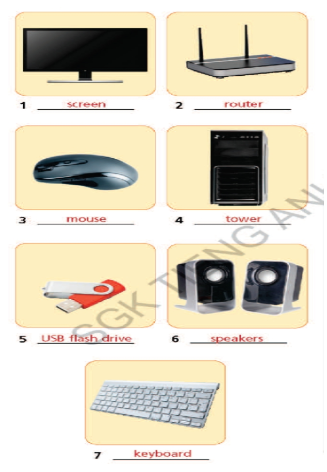
1. Label the picture using tower, screen, mouse, keyboard, router, speakers and USB flash drive.
(Điền tên các bức hình sử dụng các từ sau: tower, screen, mouse, keyboard, router, speakers và USB flash drive.)
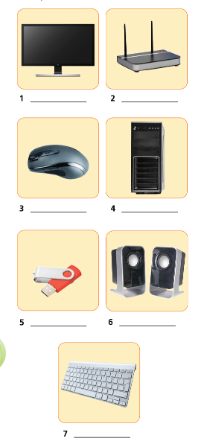
- tower (n): phần cứng của máy tính
- screen (n): màn hình
- mouse (n): con chuột
- keyboard (n): bàn phím
- router (n): bộ định tuyến
- speaker (n): loa
- USB flash drive (n): USB


Các bài tập cùng chuyên đề
Bài 1 :
Computers (Các bộ phận trong máy tính)
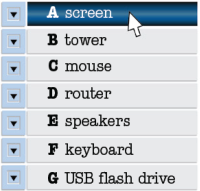
1. Match the pictures (1- 7) to the words in the list (A- G). Listen and check, then repeat.
(Nối các bức tranh (1- 7) với các từ (A- G). Nghe và kiểm tra, sau đấy nhắc lại.)

Bài 2 :
2. Complete the sentences with the words from Exercise 1.
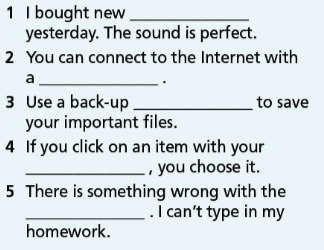
1. You need a _____________ to connect to the Internet.
2. To choose an item on the _____________, you mút click on it with your _____________ .
3. Most of the important parts of a computer are in a _____________ .
4. Please copy the files to my _____________ .
5. I can’t listen to the song; my _____________ don’t work.
6. Use your _____________ to type in your homework.
Bài 3 :
2. Fill in each gap with speakers, router, keyboard, screen or drive.
(Điền vào chỗ trống các từ speakers, router, keyboard, screen hoặc drive.)
1. My _________ don’t work; I can’t listen to music.
2. To choose a file on the _________, you must click on it.
3. You need a _________ to write on your computer.
4. We connect to the Internet with a _________.
5. I’ve got a USB flash _________.
Bài 4 :
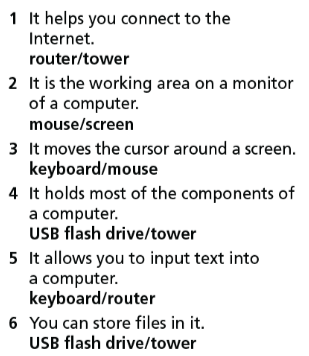
2. Choose the correct option.
(Chọn câu trả lời thích hợp.)

Bài 5 :
3. Fill in the correct word.
(Điền vào từ chính xác nhất.)

Bài 6 :
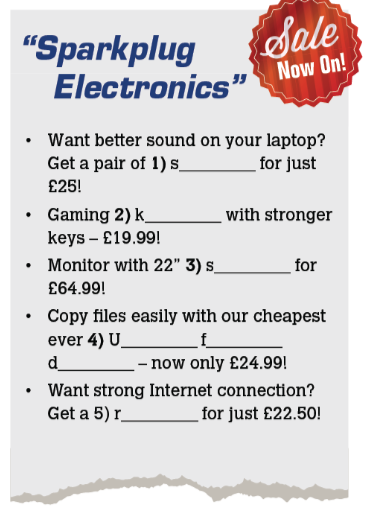
5. Fill in each gap with mouse, router, keyboard, USB flash drive or speaker.
(Điền vào chỗ trống với mouse, router, keyboard, USB flash drive hoặc speaker.)